
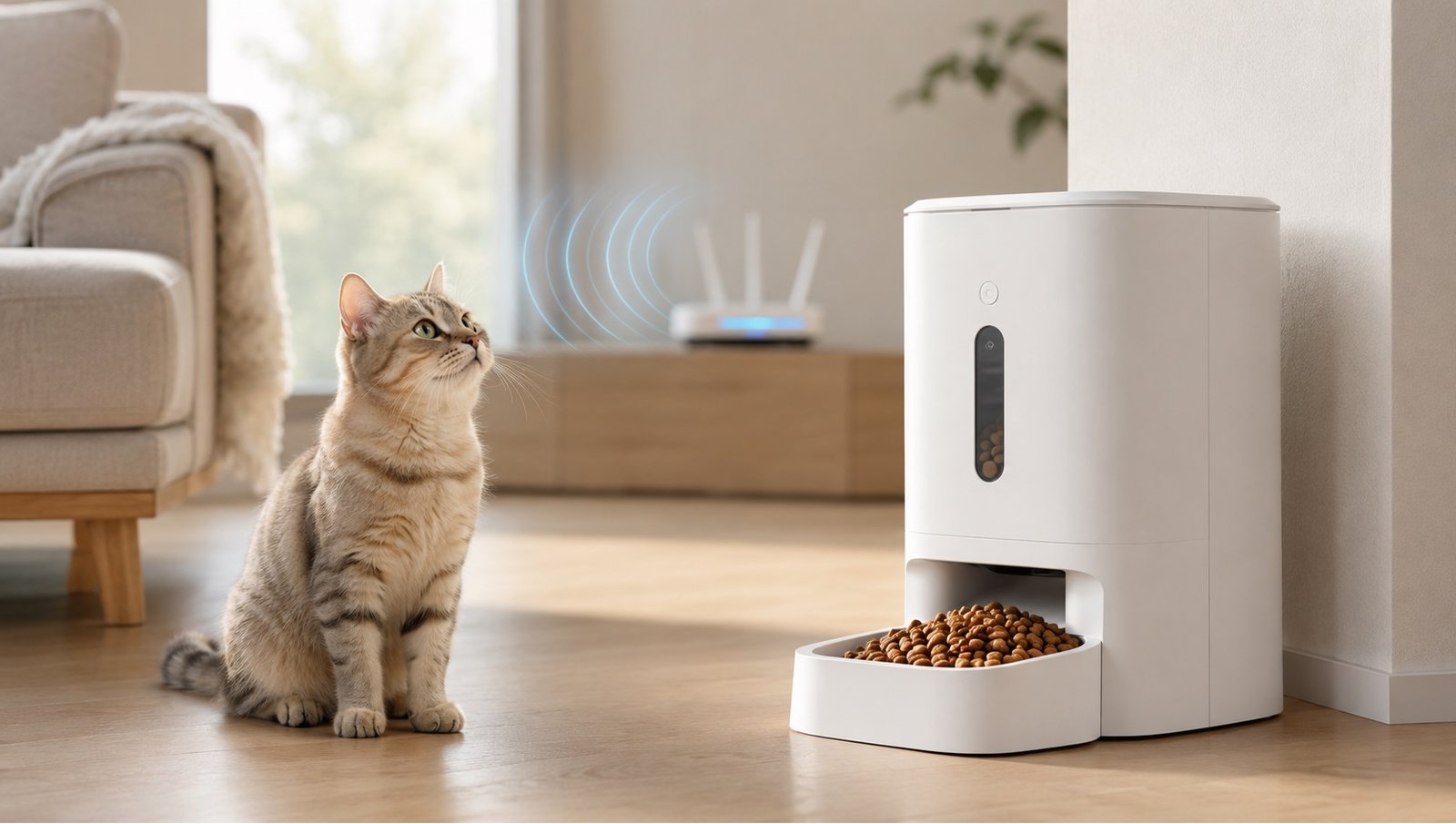
Smart Feeder Wi-Fi Range Guide (2026)
Let’s Start With a Small Story
Meera had just set up her brand-new smart feeder for her cat, “Coco.” Everything looked perfect out of the box — sleek design, easy app pairing, a friendly welcome screen. But the moment she placed it in the laundry room, just a few steps from her Wi-Fi router, things went wrong. The app kept showing “offline,” the scheduled feeding notifications never arrived, and the live camera feed froze every few seconds. Frustrated, she almost returned the device, thinking it was defective. It wasn’t until a friend explained smart feeder Wi-Fi range to her that she realized the real issue — her laundry room had thick concrete walls that were blocking the signal entirely.
Meera’s story is far more common than most people realize. In this guide, we’ll walk through everything you need to know about smart feeder Wi-Fi range — what affects it, how to test it, and how to make sure your feeder stays connected without a single dropped signal.
👉 See the best smart feeders with strong Wi-Fi connectivity
Introduction: Why Wi-Fi Range Matters More Than You Think
Smart feeders rely almost entirely on a stable internet connection to function the way they’re designed to. Features like remote feeding, live camera streaming, push notifications, and scheduling all depend on your device staying connected to your home network. Yet, when people shop for a smart feeder, they usually focus on capacity, design, or price — and rarely think about Wi-Fi range until problems start showing up.
Understanding your router’s coverage and how it interacts with your home’s layout can save you from returning a perfectly good device simply because it was placed in a weak-signal zone. Once you understand how wireless range works, choosing the right spot for your feeder becomes a lot easier.

What Does “Wi-Fi Range” Actually Mean for a Smart Feeder
In simple terms, Wi-Fi range refers to the distance and physical conditions within which your device can maintain a stable connection to your router. For a smart feeder, this includes:
- The distance between the feeder and the router
- The number and thickness of walls in between
- Interference from other electronic devices
- The frequency band your router broadcasts on (2.4GHz vs 5GHz)
- Your router’s overall signal strength and age
Most smart feeders are built to work on the 2.4GHz band, since it offers better wall penetration than 5GHz, even though it’s slightly slower. Knowing this single detail alone can help you avoid a lot of unnecessary connectivity issues down the road.
👉 Browse top-rated 2.4GHz-compatible smart feeders
Why Understanding Wi-Fi Range Is So Important Before Setup
1. Prevents Frustrating Setup Failures
A huge number of “my smart feeder won’t connect” complaints actually come down to weak signal strength, not a faulty device. Knowing your network range ahead of time helps you avoid wasting hours troubleshooting something that was never broken to begin with.
2. Keeps Core Features Working Reliably
Camera streaming, instant notifications, and remote feeding all require a consistent connection. Without a solid Wi-Fi signal, these features may work intermittently or stop functioning altogether — defeating the whole purpose of buying a smart feeder.
3. Helps You Choose the Right Spot the First Time
Instead of moving the feeder around through trial and error, understanding signal behavior lets you pick a strong-connectivity location right from the start, saving both time and frustration.
4. Avoids Unnecessary Returns or Extra Purchases
Many people assume a weak connection means a defective unit and end up returning a perfectly functional feeder. A little range awareness can prevent that costly mistake.
Factors That Affect Your Smart Feeder’s Wi-Fi Connection
Let’s go over the main factors that influence how strong or weak your wireless coverage will be around your feeder.
Distance From the Router
The farther the feeder is from the router, the weaker the signal becomes. As a general rule, staying within 30 feet (about 9 meters), with minimal obstruction, offers the most reliable connection for most home routers.
Wall Material and Thickness
Not all walls are equal. Drywall barely affects signal strength, but concrete, brick, and walls with metal framing or plumbing inside can significantly weaken your Wi-Fi range. This was exactly Meera’s problem — her laundry room’s concrete walls acted like a signal barrier.
👉 Check out long-range Wi-Fi pet feeders built for thick-walled homes
Interference From Other Devices
Microwaves, baby monitors, cordless phones, and even some Bluetooth devices can interfere with 2.4GHz signals. Placing your feeder too close to these devices can cause intermittent disconnections.
Router Placement and Age
An older router or one placed in a far corner of the house will naturally offer weaker coverage throughout the home. Upgrading to a modern router or repositioning it centrally can make a noticeable difference.
Number of Connected Devices
A network overloaded with too many connected devices can slow down or interrupt weaker connections, including your smart feeder, especially during peak usage hours.
How to Test Your Wi-Fi Range Before Placing Your Feeder
Before committing to a final spot, transition through a simple test: take your phone to the intended location and check the Wi-Fi signal strength shown in your device settings. If it shows two bars or fewer, that spot is likely too weak for reliable performance. Alternatively, many router apps offer a signal strength heatmap feature that visually shows weak and strong zones throughout your home — an excellent way to plan feeder placement in advance.
👉 See feeders with built-in signal strength indicators
Advantages of Choosing a Strong Wi-Fi Spot for Your Feeder
Placing your feeder within a solid network range offers several real benefits worth highlighting.
- Reliable remote feeding: Feed your pet from anywhere without worrying about failed commands.
- Smooth camera streaming: Live video stays clear and lag-free, letting you check in on your pet anytime.
- Consistent notifications: You’ll never miss an alert about feeding times or low food levels.
- Fewer app errors: A stable connection significantly reduces frustrating “device offline” messages.
- Better long-term performance: Devices placed in strong-signal areas tend to experience fewer technical issues over time.
👉 Compare the highest-rated smart feeders on Amazon
Common Challenges With Wi-Fi Range and Smart Feeders
That said, achieving perfect connectivity isn’t always simple, and it’s worth understanding a few realistic limitations.
- Limited router coverage in larger homes: A single router may not be enough to cover every corner of a bigger house.
- Inconvenient placement trade-offs: The strongest-signal spot isn’t always the most practical or pet-friendly location.
- Ongoing interference risks: New devices added to your home network over time can unexpectedly weaken existing connections.
- Extra cost for range extenders: Solving persistent weak-signal issues sometimes requires investing in a Wi-Fi extender or mesh system, adding to the overall cost.
Being aware of these challenges in advance helps set realistic expectations and avoids frustration after setup.
Simple Solutions to Improve Wi-Fi Range for Your Smart Feeder
If your ideal feeder location happens to fall into a weak-signal zone, there are still practical ways to fix it. A Wi-Fi extender placed halfway between the router and the feeder can significantly boost signal strength. Similarly, a mesh Wi-Fi system spreads consistent coverage across your entire home, which is especially useful for larger houses. If neither option is available, simply relocating your router to a more central spot in the house can often solve the problem without any additional purchase at all.
👉 Shop Wi-Fi extenders and mesh systems to boost home coverage
How to Choose the Right Balance Between Placement and Connectivity
Ideally, your feeder’s location should satisfy both placement comfort for your pet and strong signal coverage for reliable performance. Start by identifying two or three potential spots that suit your pet’s comfort and safety. Then, test the Wi-Fi signal strength in each location before making a final decision. In most cases, a small compromise — moving the feeder just a few feet closer to the router — is enough to strike the perfect balance between comfort and connectivity.
Conclusion
At the end of the day, even the best smart feeder can feel unreliable if it’s placed outside your home’s effective Wi-Fi range. Meera’s story is a perfect reminder that most connectivity issues aren’t about faulty devices — they’re about signal strength and physical obstacles working against you. By understanding what affects your wireless coverage, testing signal strength beforehand, and making small adjustments when needed, you can ensure your smart feeder works exactly the way it’s meant to — smoothly, consistently, and without frustrating disconnections.
So before you settle on a final spot for your feeder, take a few minutes to check your Wi-Fi range first. It’s a small step that can save you from a whole lot of unnecessary hassle down the road.
👉 See today’s best smart pet feeders with strong Wi-Fi range on Amazon